Copy the prompt
You can copy it from three places:
- Home: Copy fix prompt on the top issue, or press C.
- A finding, opened: How do I fix it? shows the whole prompt, with Copy fix prompt above it.
- The Findings list: ⌘C copies the prompt of the finding you have selected.
Paste it into whatever you build with: Claude Code, Cursor, Codex, Lovable or Bolt. A coding tool connected to nth Labs can fetch the prompt itself; see Claude, Codex, Cursor.
What is in a prompt
A prompt says where to look (the file, when your settings say where the code lives, otherwise the page), what went wrong with the example the browser found, the change to make, and an acceptance line: what must be true once it is fixed. The acceptance line is the most important part. For a form that cannot be submitted, the prompt ends:
Acceptance: with the form empty, click submit and the browser should move the cursor to a field and ask for it.
When you’ve made the change, press Verify on the finding in nth Labs (or ask your agent to call labs_verify with id “4f2a1c”).
A browser can test that condition directly. Your coding tool makes the change, and nth Labs checks whether it worked.
Fix everything at once
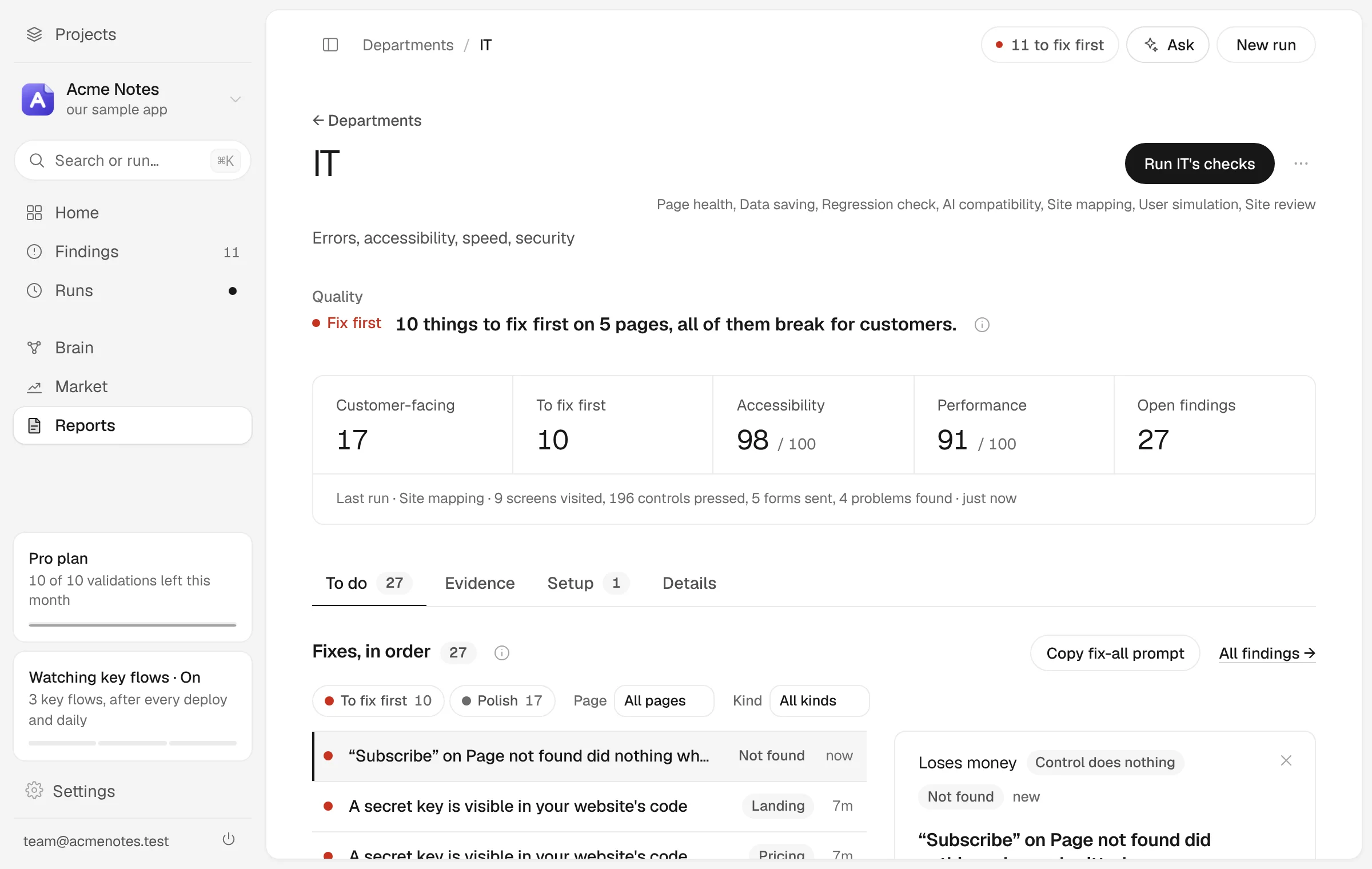
Copy fix-all prompt, on Findings and on each department’s To do list, copies one prompt with every open fix: grouped by page, ship-blocking first, each with its own acceptance line so your coding tool knows when each one is done. A long list is capped, and the prompt says how many it left out. Findings you put off with Later stay out of it until they come back.
Press Verify
When your coding tool has made the change and it is live at the address nth Labs tests, open the finding and press Fixed? Verify it.
- When the finding carries steps a browser can repeat, nth Labs drives those steps again in a real browser. This is free, and the browser decides the result.
- When nothing about it can be repeated in a browser, a model looks at the page again. That needs a paid plan.
- Some findings only the check that found them can measure. For those the button reads Fixed? Check the page again, and runs that check on that page, free.
| What comes back | What it means |
|---|---|
| Fixed | A confident yes. The finding closes. |
| Still open | The finding stays, and Verify fix says what it saw instead. |
| Not reproduced | The problem did not happen, on a page that had not changed since the finding was filed. The finding was likely wrong, and nothing is counted as a fix. |
Mark resolved, under More, closes a finding on your word instead. It is recorded that way and is not counted as a proved fix.
Likely fixed
When two later runs re-open a finding’s page and no longer see it, the finding is marked likely fixed and stops counting as open. Home and Findings say how many, with a Confirm button that verifies each one a browser can re-run, free. Any that cannot be re-run are marked fixed as confirmed by you, and say so.
Keep it fixed
Once a real problem is fixed, open it and choose Keep watching this under More. (The finding has to be marked Real problem first.) nth Labs drives the steps again in a real browser. If the defect is gone, the check is kept and runs with every Quick check, so you hear if the problem comes back. If the defect is still there, you are told to fix it first.
A kept fix that breaks again reopens its finding as ship-blocking. Findings, then Kept, lists everything being watched, and the card at the foot of the left side counts how many fixes are holding. Continuous testing runs them for you: weekly on Pro, daily on Team and Agency.
The whole loop
- Run a check and open Findings.
- Mark the real ones Real problem (Your verdicts).
- Copy a fix prompt, or the fix-all prompt, into your coding tool.
- Put the change live, then press Fixed? Verify it. The finding closes only if the browser agrees.
- Keep watching it, so it stays fixed.
From your coding tool or the command line
A connected coding tool runs the same loop without you copying anything: labs_fix_prompt with an id for one fix, or with all: true for every fix, then labs_verify with the id to verify it. On console.nthlabs.dev, verifying from a coding tool comes with Pro and above. Running nth Labs yourself, the same two steps are commands:
node cli.cjs actions prompt <id>
node cli.cjs verify <id>