Create your account
Go to console.nthlabs.dev and create an account. Use Google or GitHub if the page offers them, or an email address and a password of at least 10 characters.
- No card. The Free plan does not ask for one.
- One box to tick. It says you agree to the terms and the privacy policy, and that you will only test products you are authorised to test.
Paste your address
The console opens on one question, What is broken in your product? Paste the address a
customer would type into Where does it live? and press Check it. Typing
yourproduct.com is enough: the console adds the https:// for you.
- It has to open for anyone on the internet. The console runs on our servers, so a live
site, a preview or a staging address all work, and
localhostdoes not. What to do instead. - It reads what a visitor can see. To use your app itself, filling in and sending your forms, save a test account in Settings → Test account. That is your consent, and Let nth Labs use your app with the test account beside it turns it off.
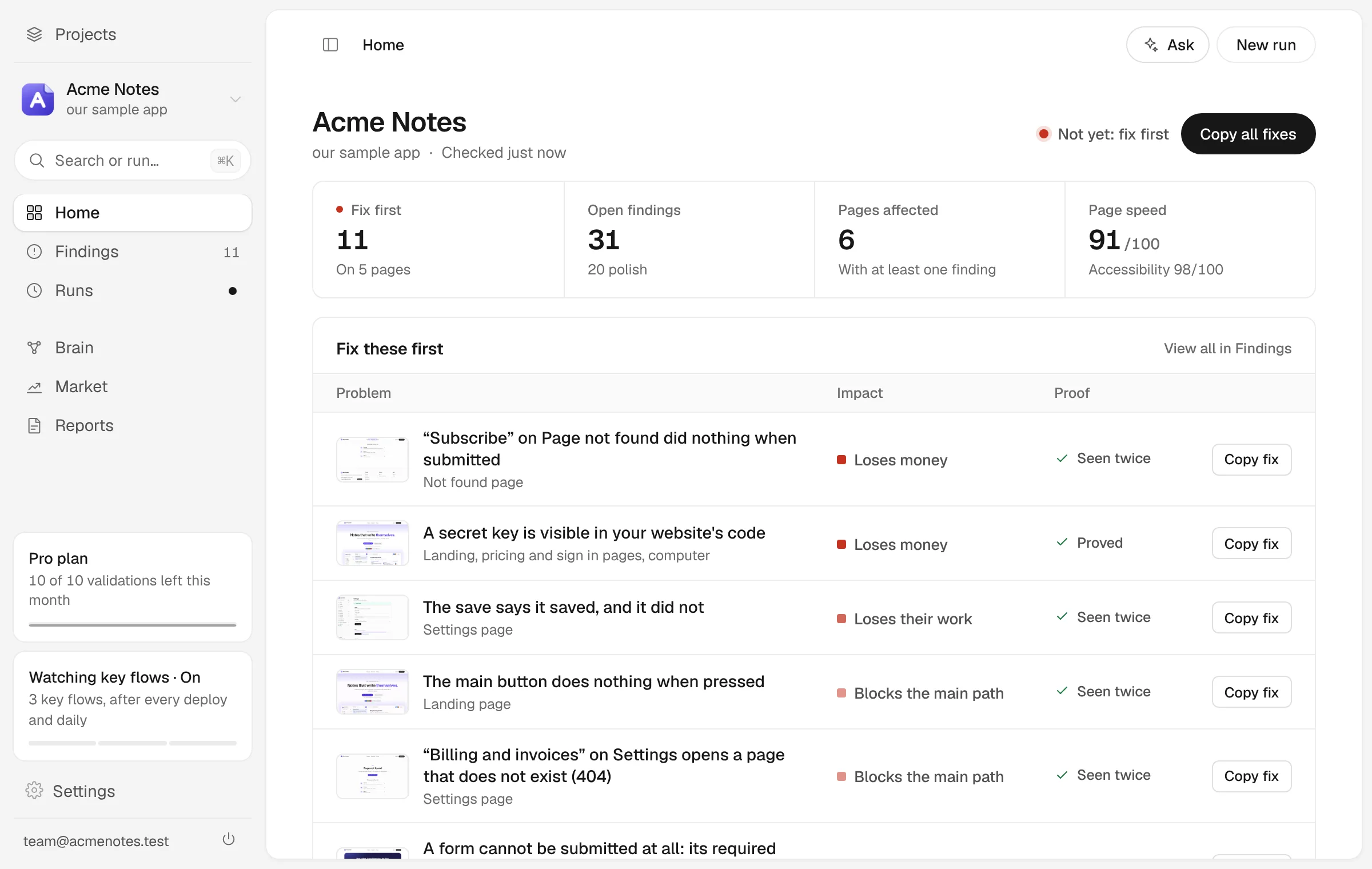
The same screen offers Walk it on our sample app instead. It opens an example project on Acme Notes, a notes app we built with defects planted in it on purpose, and walks you through what a real run found there.
Watch it run
There is nothing to fill in. A screen called Setting it up does four things and says on each line what it did:
- Naming your product, from the address. Rename sits beside it.
- Pricing the findings. It assumes you sell to people in the United States, so each finding can carry a price. Change the market if you do not.
- Finding your pages. It opens your address and keeps the pages your home page links to. A page that answers with an error is left out, and named.
- Measuring it in a real browser. The free check starts. The console calls it the Quick check.
Next you see the run itself: a real browser opening your pages on desktop and on mobile, with each step shown as it happens and each finding listed as it is found. The step that is running says how far through it is and, once it has enough to go on, about how long it has left. It usually takes a couple of minutes. One step, Regression check, is skipped on this first run and says why: there is nothing to compare with yet. While it runs, the screen asks which department matters most to you. Your answer only decides the order the results are shown in; every department runs either way.
The setup says so, and this first check covers what the public can see. To check the pages behind your login, add a test account: Testing behind a login.
Read what came back
When the run finishes, the results open by themselves. Three places in the sidebar matter first:
- Home says where you stand in one line: how many issues stand between you and launch, a verdict such as Not yet: fix first, and the one finding to start with.
- Findings is everything open, worst first. It is your work list.
- Departments sorts the same evidence three ways: IT covers what is broken, Marketing who would use it and Finance what it is worth. Each gives its own verdict.
Open any finding and it shows:
- A title in plain words, such as “A form cannot be submitted at all”.
- Where it happened: the page, and the element on it.
- The evidence: what the browser did and what it saw, usually with the frame it saw it in.
- A fix prompt, written for your coding tool. What is in one.
Fix one, and check it held
- Open the finding and press Copy fix prompt.
- Paste it into the coding tool you build with, such as Claude Code, Cursor or Codex, and ship the change.
- Back on the finding, press its Fixed? button. A real browser goes back to that page and looks again. For most findings this costs nothing.
You can also press Check again on Home: the free checks run again, and on a paid plan the ones with AI too. A finding that stops turning up is marked likely fixed, and one that comes back after you closed it is reopened. Once a finding is confirmed as real and you have fixed it, Keep watching this (under More on the finding) checks that it is gone and keeps that check, running it with every Quick check, so you hear about it if the bug ever returns.
Not every finding is worth fixing. Not a problem tells nth Labs it was wrong, and the note you leave teaches later runs what a false alarm looks like on your product. Later takes it off your list for a week. More on verdicts.
Where to go next
- Test the pages behind your login. Add a test account.
- Choose which pages get tested, and tell it who the product is for. Point it at your product.
- See how simulated customers get on. The panel of simulated buyers and the walks through your product come with a validation, which uses AI and is part of the paid plans. Free includes one full check with AI each month. AI and your plan.